twitter logo facebook logo
-A A +A
A
A
Bussiness Consultancy Services
UDYAM PRIVATE CONSULTANCY

Now udyamindia.in is udyamindian.com we change our brand and domain with new identity for better service.

udyamindian.com is a PRIVATE consultancy firm and is NOT a Government Portal. Udyam / MSME Registration is FREE. We charge a nominal professional fee only for expert documentation, form-filing & support. +91-9031675081 | care@udyamindian.com


How to Update or Change Udyam Certificate Details
How to Edit Udyam Poster

The Udyam Registration Certificate is a digital certificate received after completing the MSME Registration Process. After registering on the Udyam portal, businesses can change details like contact details, bank account details, and business details; in this situation, update their certificate. Up-to-date and correct details are very helpful in both legal and banking factors.

In this article, you will learn how you can update your details in the Udyam Registration Certificate in basic steps by using the official online process. Simply follow the step-by-step guide below, and you'll be ready to proceed.

Steps to Update or Change Udyam Certificate:
1
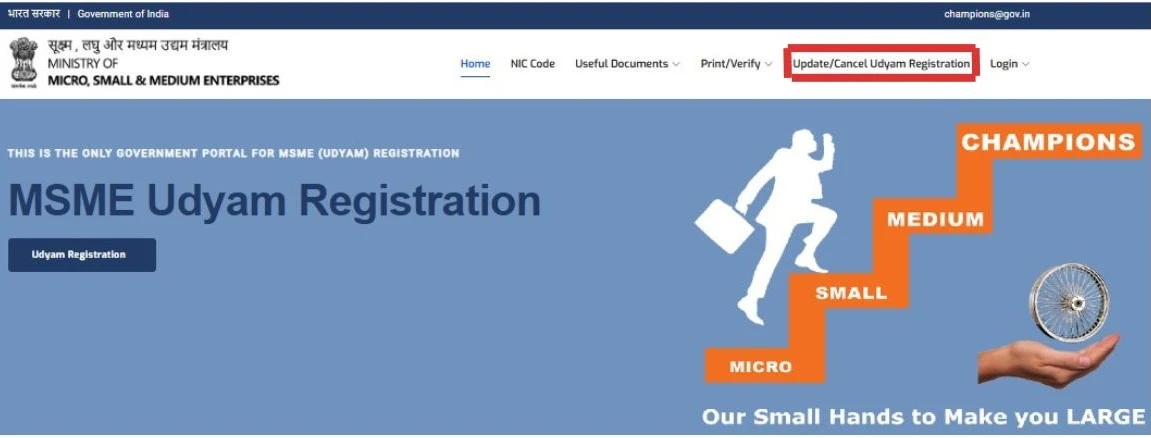
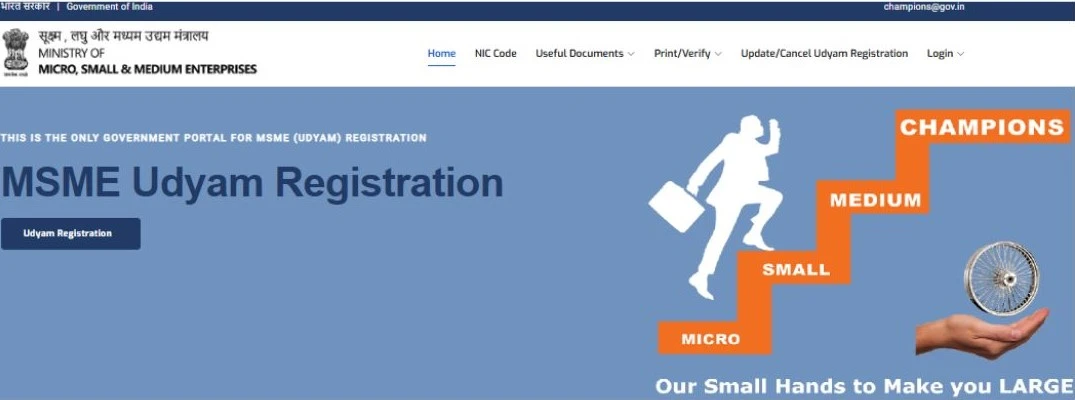
1. First of all, visit the Official Udyam Registration Portal and start the Udyam update process.
udyam gov home screen
2
After visiting the Official Udyam Portal, click on the "Update/Cancel Udyam Registration" option to update or change your Udyam Registration Certificate details. This option is available on the navigation bar on the home page.
udyam gov login screen
3

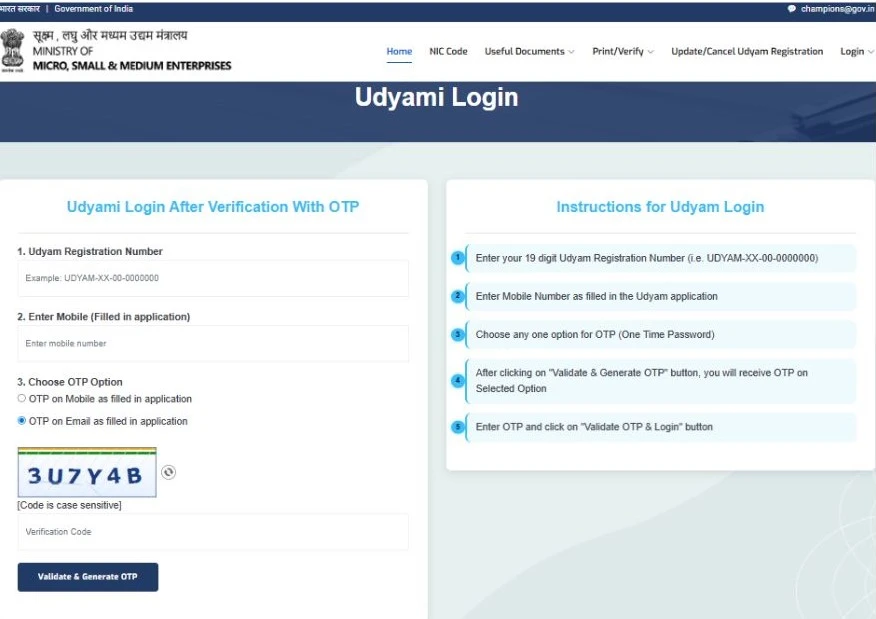
After clicking the "Update/Cancel Udyam Registration" tab, open the Udyami login page. To change Udyam details, you need to log in to the Udyam portal for your authentication.

  • Enter your Udyam Registration number
  • Udyam Registered mobile number
  • Then select the OTP option through which you want to receive the OTP(like Registered Mobile Number and Email ID).

Once you have entered your login information, tap on the “Validate & Generate OTP” Button.
udyam gov login screen
4

Once you have clicked on the "Validate & Generate OTP" button, the OTP will be sent to the sms of your mobile number and to your email inbox. You have to enter the correct OTP, then click on "Validate OTP & login".
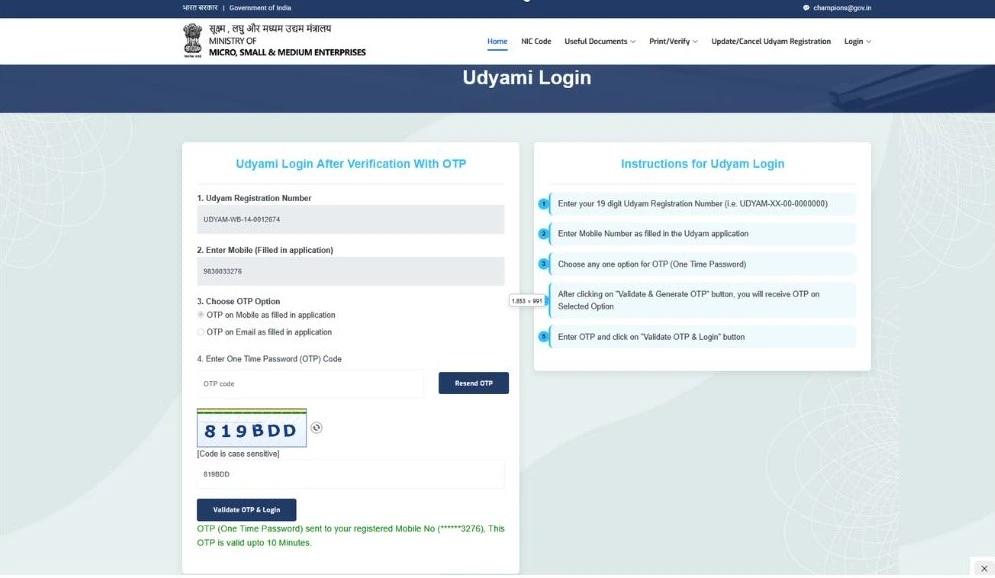
udyam gov login form screen
5

Once the OTP is successfully verified, you will be taken to the edit Udyam page. You can view your certificate. In the top right corner, press the “Edit Details” button to make changes to the details you wish to make to your Udyam certificate.
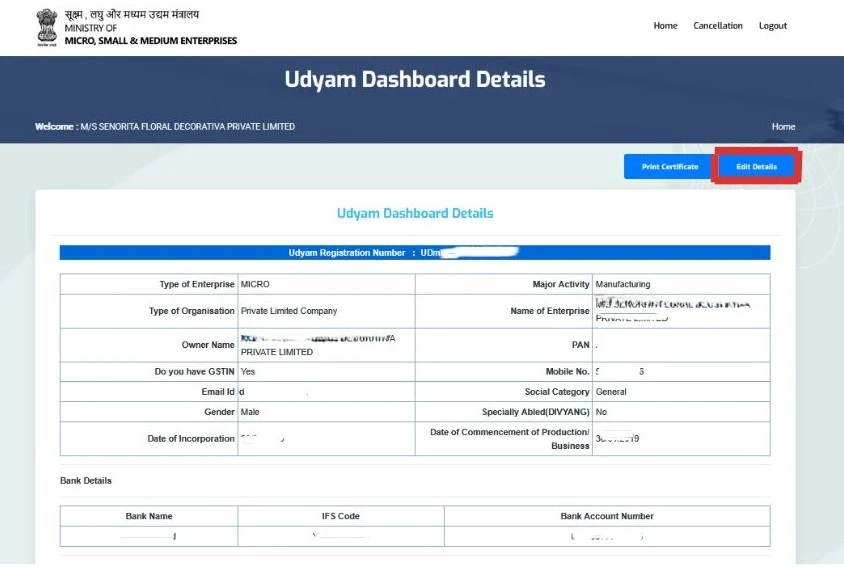
udyam edit form screen
6

Then the Aadhaar and PAN Verification detail page will open automatically when you click on Edit Details. This page contains your PAN and Aadhaar details; you can not edit or change these details.


Note: The details cannot be updated or corrected in the Udyam certificate once you finish the Udyam registration process (such as owner name, Aadhaar details, PAN details, office address (state & district name), and investment & turnover details).
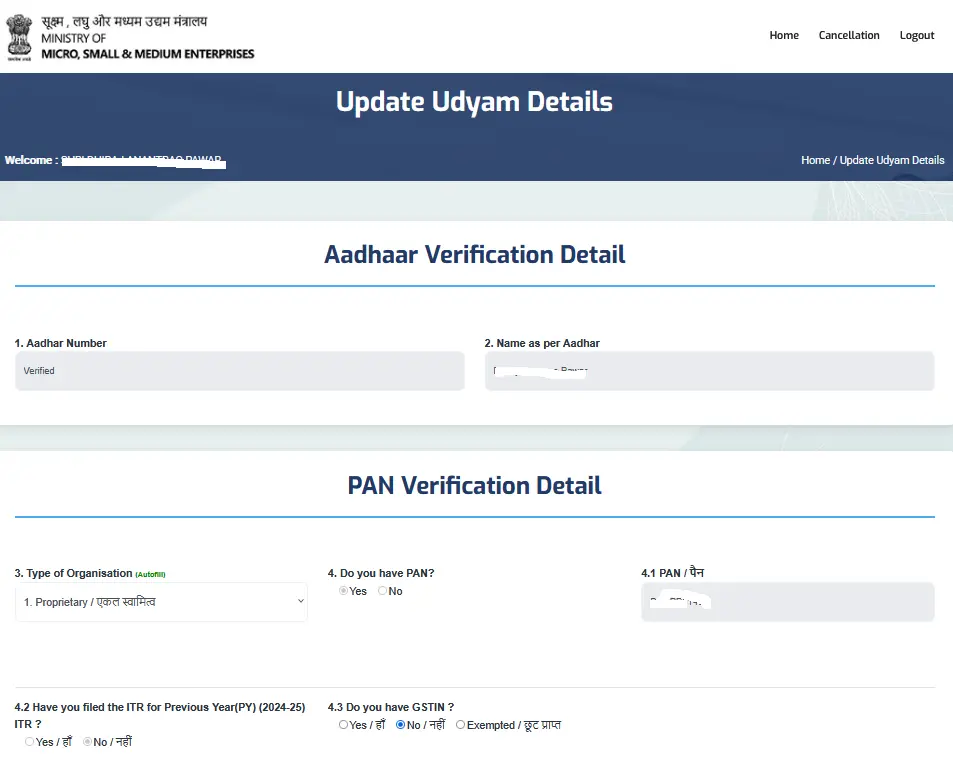
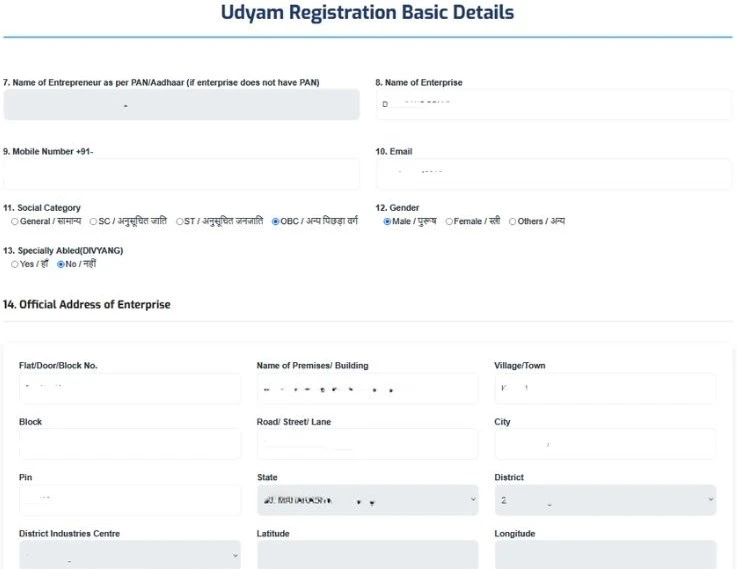
udyam edit form screen
7
Next, update your enterprise name, mobile number, email ID, or office address if any of these details need to be changed.
udyam edit form screen
8
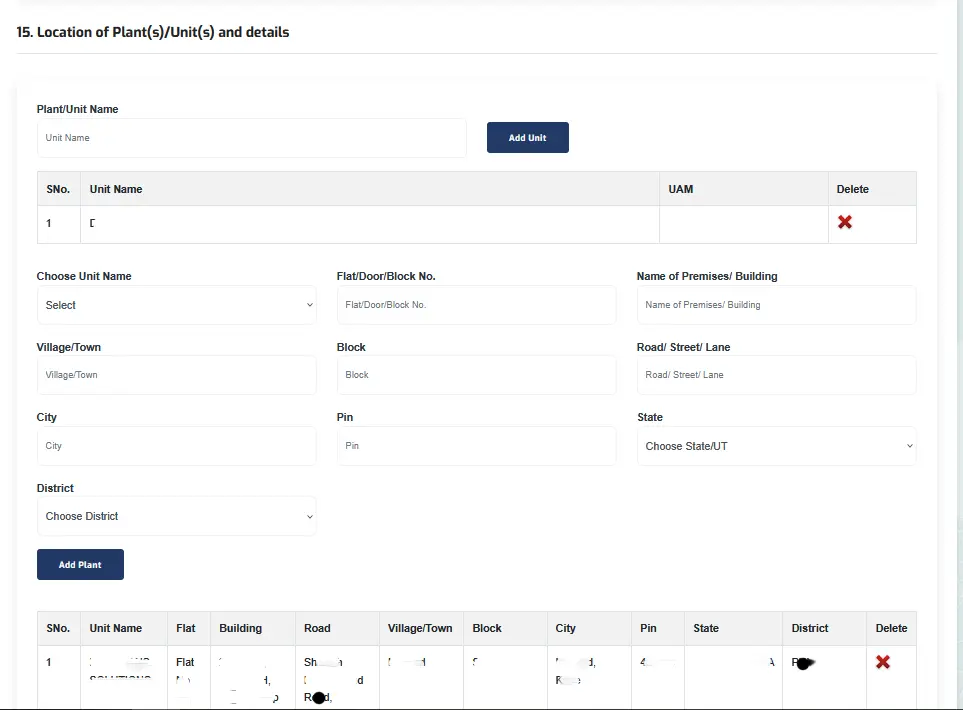
If you start a new business, add a unit in the Udyam certificate. Click the “Add Unit” button, enter your new business address, and lastly click on the “Add Plant” tab.
udyam edit form screen
9
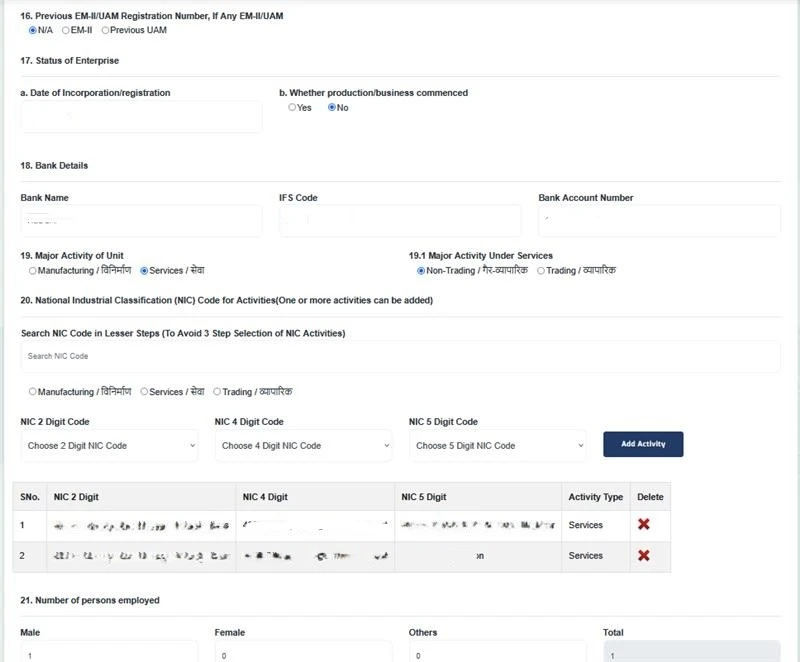
Then, modify your date of incorporation, bank details, and change your NIC code according to your business activity. If you have several business activities under one company, you can take one main NIC Code and a sub-NIC code for each business activity. Like they are manufacturers, traders, or service providers.
udyam edit form screen
10
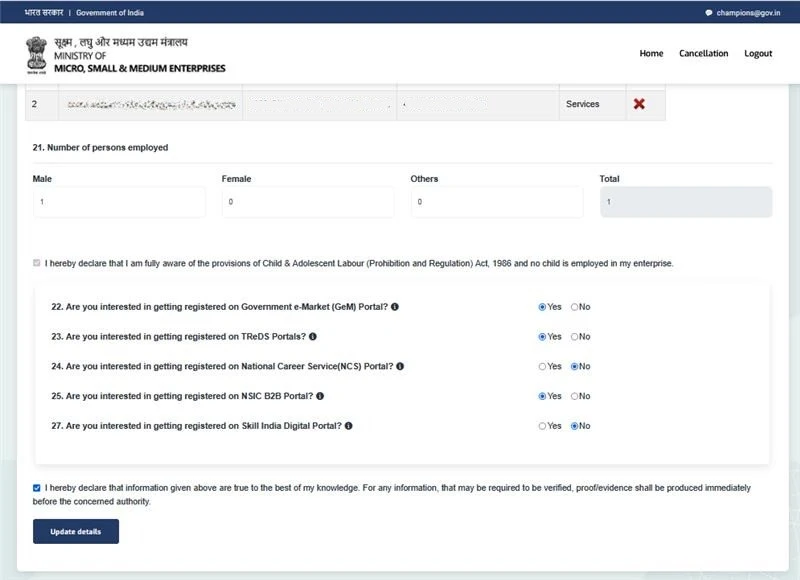
If there is a change in the people employed in your company, you can modify it. Choose the dropdown according to your business, and once you have finished editing, finally click on the “Update details” button. This is the last step for Udyam certificate update.
udyam edit form screen
11
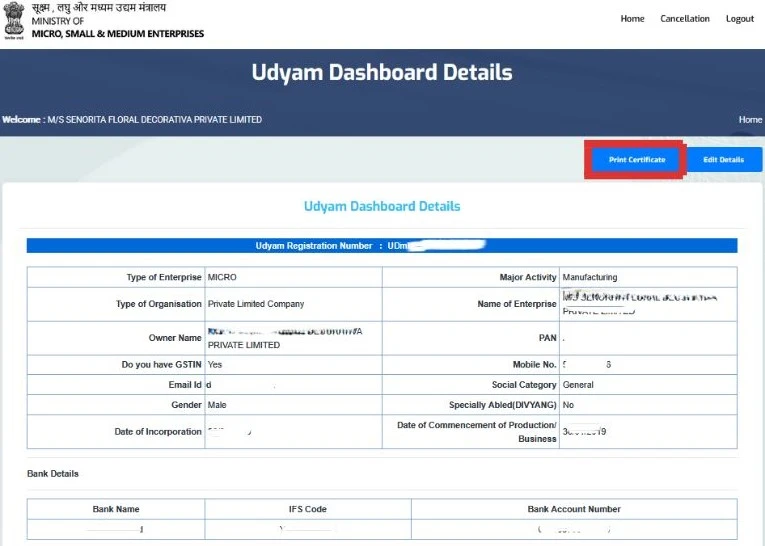
After clicking the Update details button, a new page will open. To download your updated certificate, click the "Print Certificate" button.
udyam edit form screen

Conclusion

Using the above steps, you can change your bank details, business address, contact details, etc. , in the Udyam Registration Certificate to keep your business records up to date. So, just follow the step-by-step guide, and you will successfully edit your certificate.

Udyam India provides online consultancy for the Udyam Registration Update process for those who face difficulty and problems. Always verify your details and understand the applicable terms before you submit the request.
Frequently Asked Questions(FAQs)


If the official Udyam website is not working or opening, in that case you can try after some time. Either you choose a private consultation website for a quick and hassle-free process.

Incorrect or outdated information can create big problems when you apply for bank loans, government schemes, MSME benefits, and participation in government tenders or other business verification purposes. So always keep your certificate up to date and correct.

Yes, the Udyam portal provides an option to correct your incorrect NIC code or non-relevant business activity code through the update Udyam process.

Yes, business address details can be changed in the Udyam Certificate, but you cannot change the state and district name in your office address.

Check your registered mobile number in the SMS section and the email ID in both the inbox and spam folder. Also, always check your network connection, and wait for a few minutes before you send another OTP. Make sure that you enter your correct Udyam registered mobile number.
Sapna - Author
   

Written by Tanya Bansal

Business & MSME Content Writer

Tanya is a business content writer specialising in Indian business compliance. She creates clear, practical content that helps business owners understand registration processes, government schemes, and related requirements. Her articles are based on reliable sources and are written with a focus on accuracy, clarity and real user needs.


Apply For Udyam Service - Registration, Update, Download, etc..