twitter logo facebook logo
-A A +A
A
A
Bussiness Consultancy Services
UDYAM PRIVATE CONSULTANCY

Now udyamindia.in is udyamindian.com we change our brand and domain with new identity for better service.

udyamindian.com is a PRIVATE consultancy firm and is NOT a Government Portal. Udyam / MSME Registration is FREE. We charge a nominal professional fee only for expert documentation, form-filing & support. +91-9031675081 | care@udyamindian.com


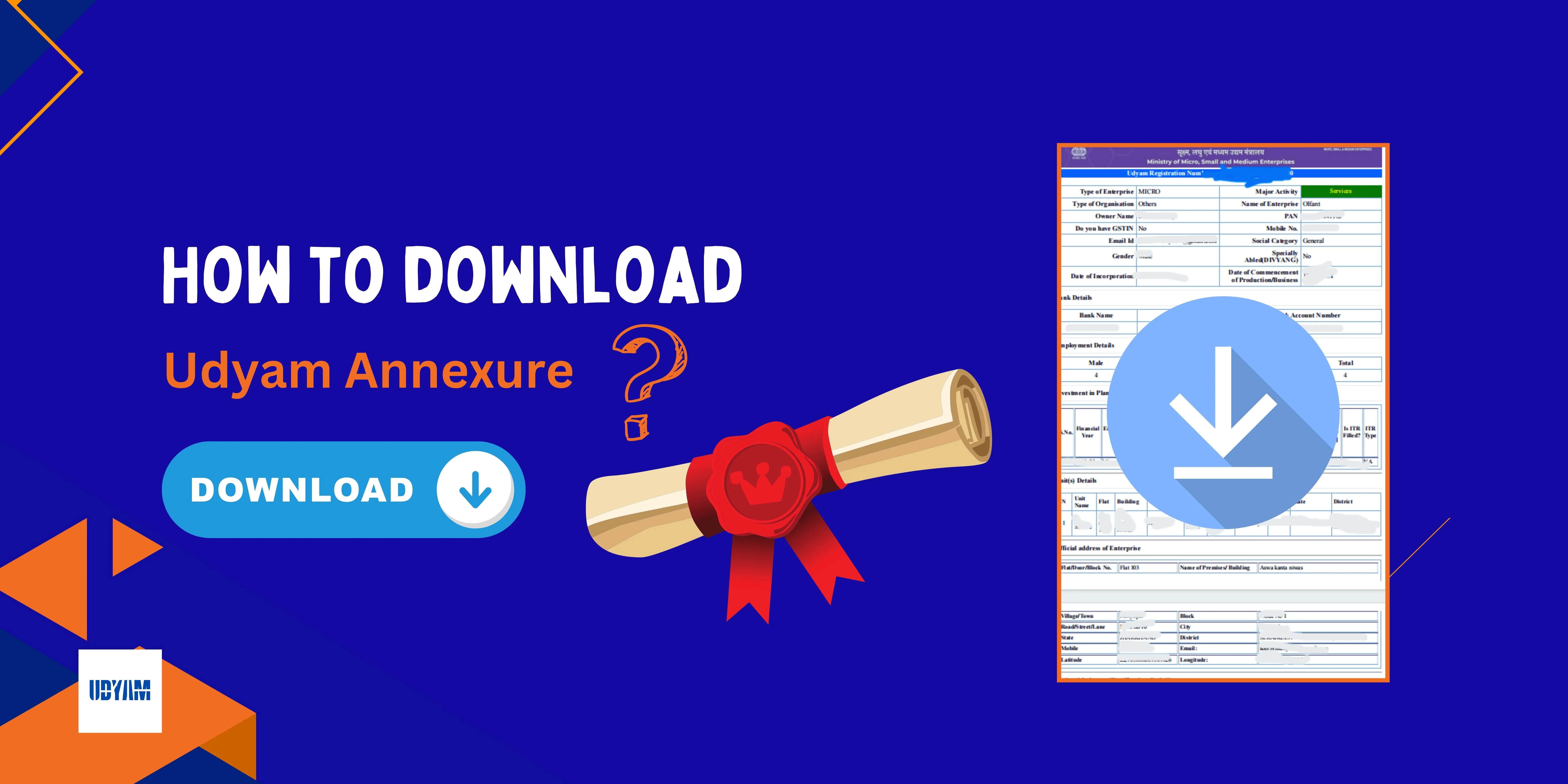
How to Download & Print Udyam Registration Certificate
How to Download Udyam Registration Certificate

If you have completed your Udyam Registration Process and want to keep a copy of your certificate, but you are having problems downloading your Udyam certificate. Don’t worry; in this guide, we will explain to you how to download your Udyam registration certificate as a PDF from the official MSME portal. So you can provide the certificate for business proof or bank verification purposes. Just follow the steps below; you will then receive your Udyam soft copy.

Steps to Download Udyam Certificate:
Follow the Below Steps
1
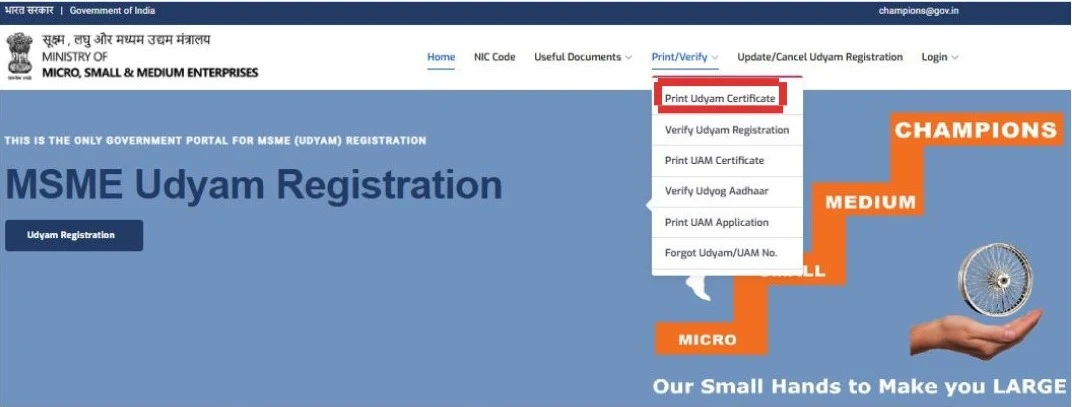
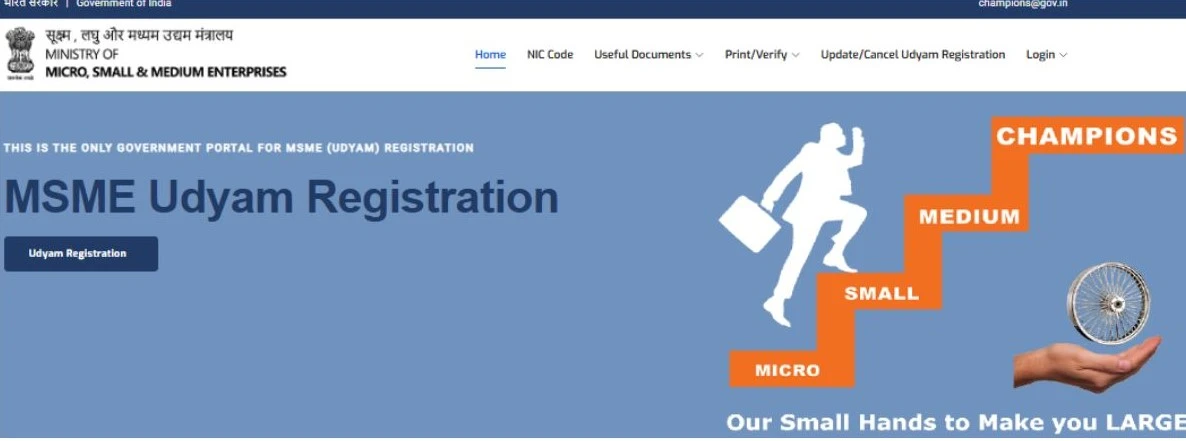
First, go to the “Udyam Registration Portal” or search for the Google Udyam registration portal, click the first option, udyamregistration.gov.in.
udyam gov home screen
2
Once the Udyam website opens, look at the top-right corner of the homepage and see the “Print/Verify” option. Click on it, and a dropdown menu will appear. From the available options, select the “Print Udyam Certificate” option or click the first option in the dropdown menu.
udyam gov login screen
3

After a while, a login page will appear; just fill in your "Udyam Registration Number" in the first box, and in the second box, enter your mobile number as per Udyam. In the third field, “Choose OTP method”, select where you want to receive your OTP (mobile number or email ID). After filling in the login details, click on “Validate & Generate OTP”.
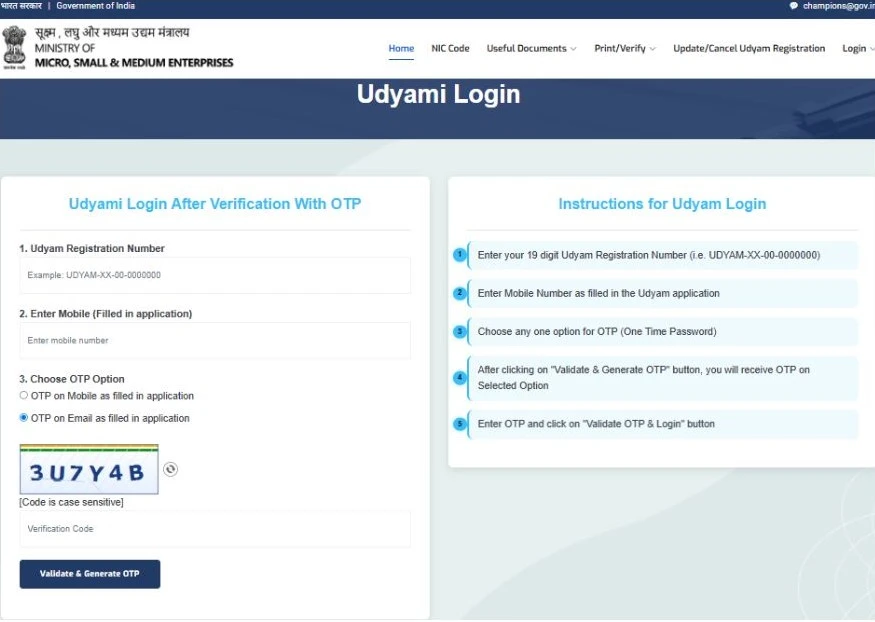
udyam gov login screen
4
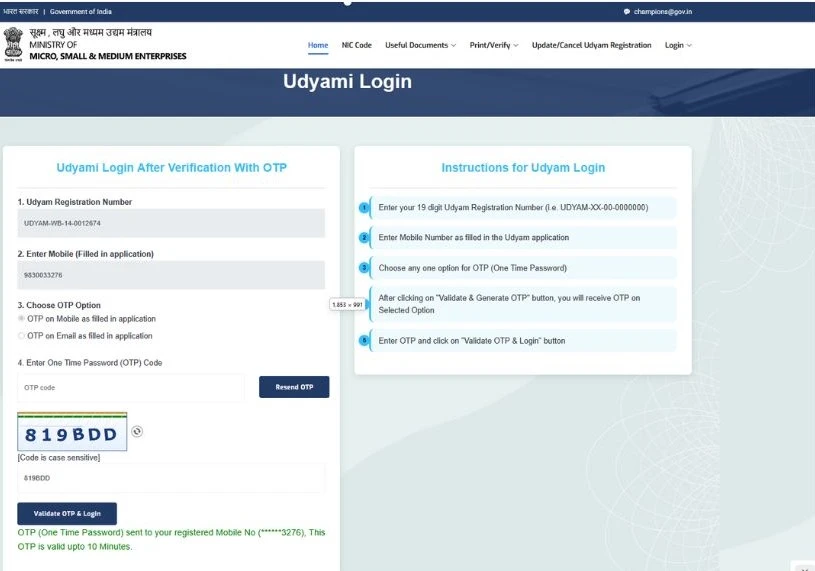
Then a new field will appear; in this field, enter the One-Time Password (OTP) Code received on your registered mobile number and email ID, and then click on “Validate OTP & Login”.
udyam gov login screen
5
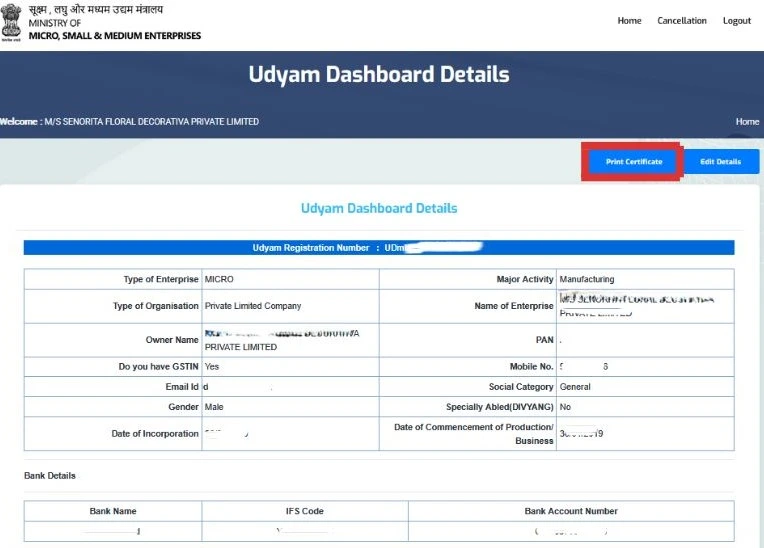
After logging in successfully, you will be redirected to a new page where your Udyam Registration details will be shown. Then click on the “Print Certificate” button to print your certificate.
udyam gov login screen
6
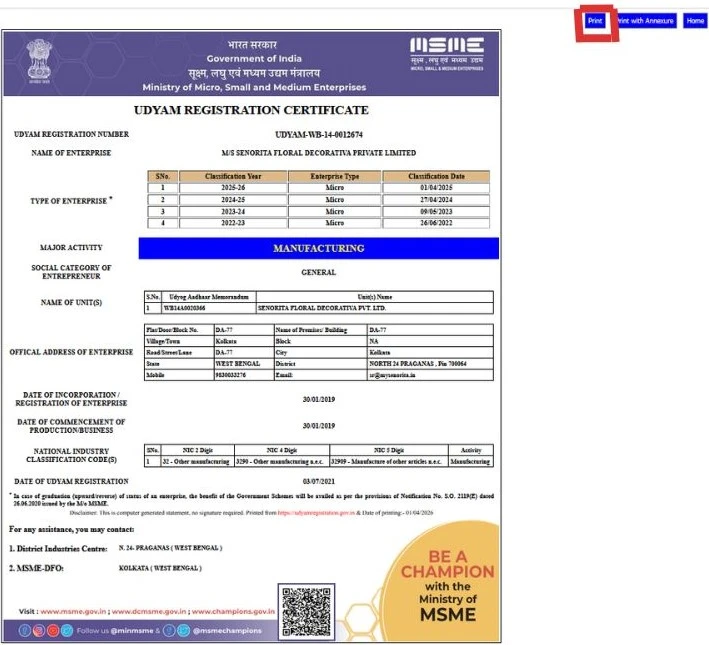
After clicking the Print Certificate button, you will be redirected to a new screen with your Udyam Certificate on the screen. After that, click on the “Print” button at the top left section.
udyam gov print screen
7
Finally, after that a new dialogue box will appear, then just choose “Save as PDF” and then click on “Save”. Your Udyam certificate is downloaded; you can print the soft copy

Why You Need to Download the Udyam Registration Certificate

The certificate can be proof that your business is registered on the MSME portal. Business owners may need it while applying for bank loans, government schemes, and tenders.

Some common situations where an MSME owner may need the Udyam Certificate include:

  • Applying for certain business loans or credit facilities
  • Participating in government tenders
  • Applying for eligible MSME schemes
  • Keeping business registration records updated
  • Providing MSME details to customers or suppliers
  • Applying for business loans
  • Opening a business bank account

That’s why it is always good to download and print a copy of the Udyam Registration Certificate.

Conclusion

Downloading and printing your Udyam Registration Certificate is a simple online process when you have your registration details ready and access to the required verification method (like mobile number and email ID). In this article, you have learned how you can download your Udyam/MSME Registration Certificate using the government's official portal in PDF format. So you can print your Udyam certificate easily and without any difficulty.

If you are facing any type of difficulty downloading or printing the Udyam Certificate process, Udyam India provides online consultancy to help business owners who need assistance download and print Udyam certificate. Our team makes the process simple, quick, and hassle-free, so you get your certificate on time.
Frequently Asked Questions(FAQs)


No. OTP verification is required to access and download the Udyam Certificate. The OTP helps verify the identity of the person accessing the business registration details.

Don't worry if you have forgotten your Udyam Registration Number (URN). You can recover it through the official Udyam Registration Portal by clicking the “Forgot Udyam/UAM Number” option. Complete the verification process using your registered mobile number or email ID to retrieve your URN.

No, you cannot download the Udyam certificate without the Udyam Registration Number( URN). To download udyam registration certificate Required 19 digit Udyam number and your registered mobile number or other details for OTP verification.

To download the Udyam Certificate, you generally need your Udyam Registration Number and the details required for online verification, such as your registered mobile number/email ID.

You can download the Udyam certificate in PDF format by visiting the official Udyam Registration Portal and clicking the “Print Udyam Certificate” option. Then log in to the Udyam portal and download your Udyam certificate PDF.
Sapna - Author
   

Written by Tanya Bansal

Business & MSME Content Writer

Tanya is a business content writer specialising in Indian business compliance. She creates clear, practical content that helps business owners understand registration processes, government schemes, and related requirements. Her articles are based on reliable sources and are written with a focus on accuracy, clarity and real user needs.


Apply For Udyam Service - Registration, Update, Download, etc..