How to Download Udyam Certificate with Annexure?
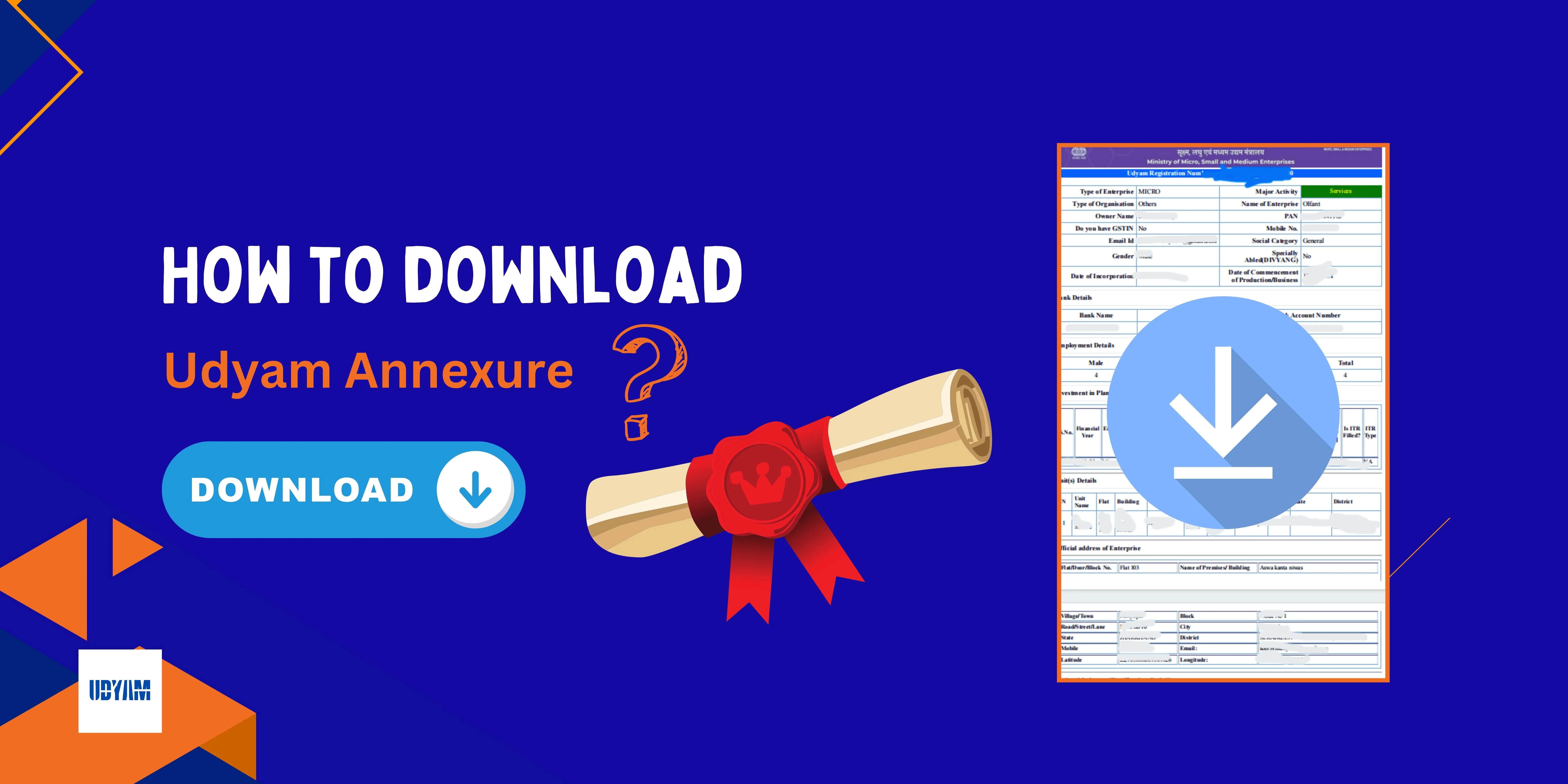
Udyam Registration is an important registration for Micro, Small and Medium Enterprises (MSMEs) in India. After completing the registration process, business owners can download their Udyam Registration Certificate online. In many cases, business owners need the Udyam Annexure Certificate for business records, applying for bank loans, government schemes, or other official verification purposes.
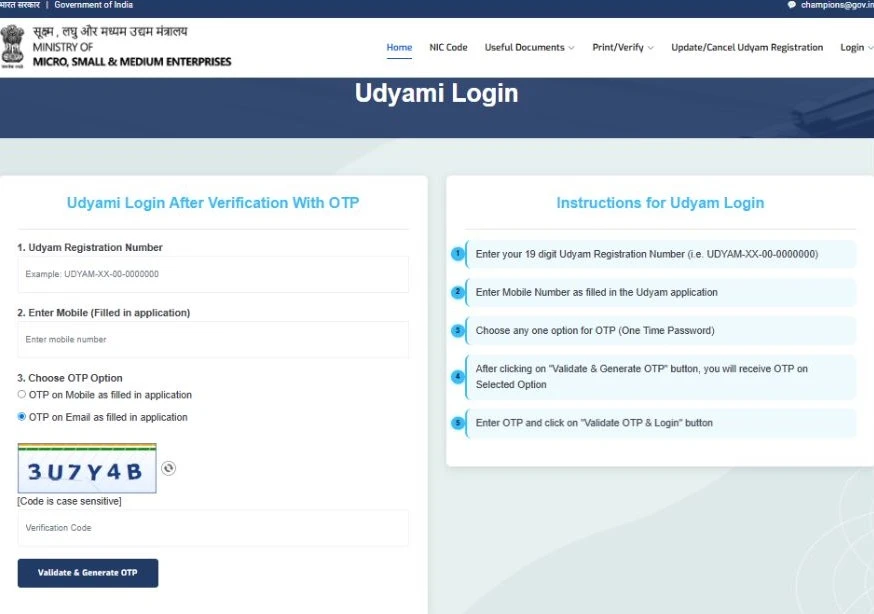
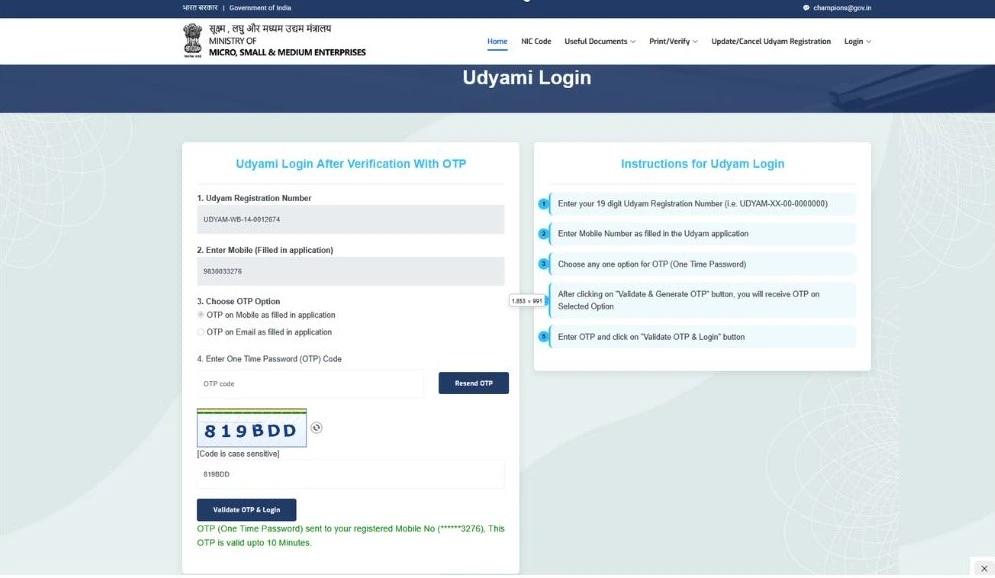
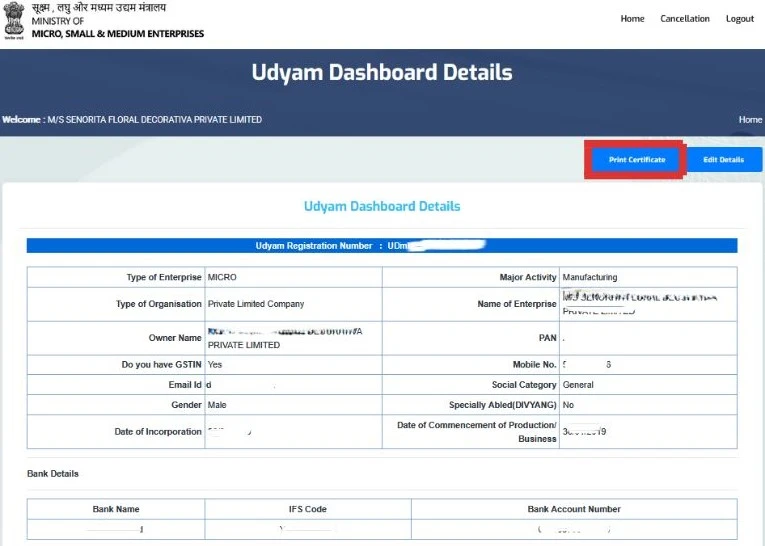
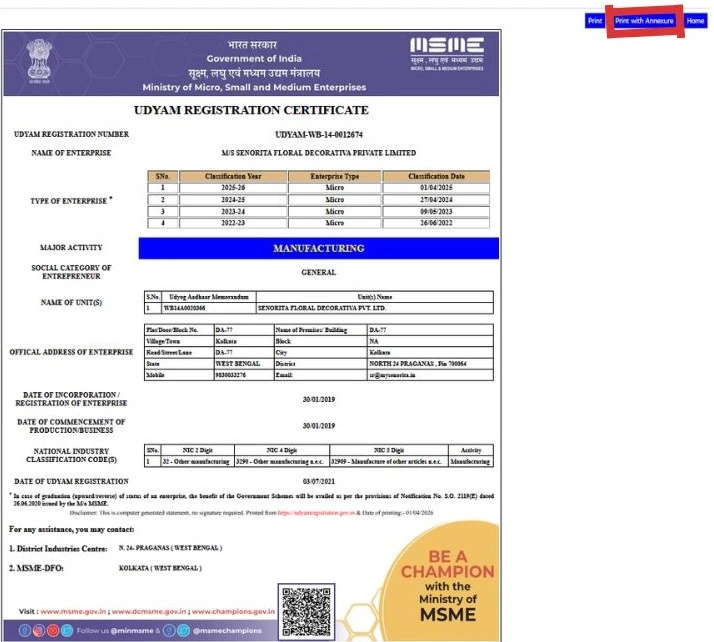
Need your Udyam Annexure in PDF, you are at the right place. In this article, you will learn how to download & print your Udyam Annexure Certificate in PDF format online in easy steps. Just follow the steps given below, and you will download your Udyam certificate with the annexure in no time from the official Udyam portal.
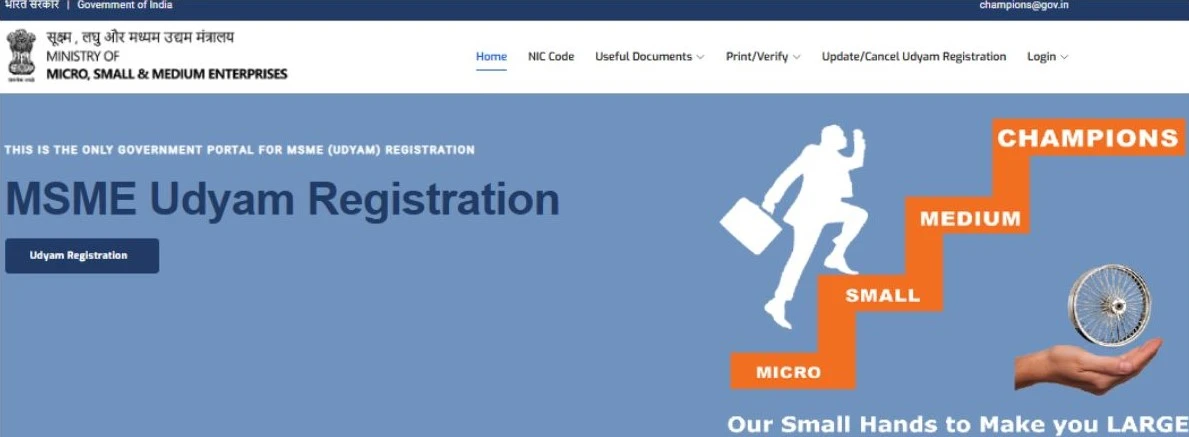
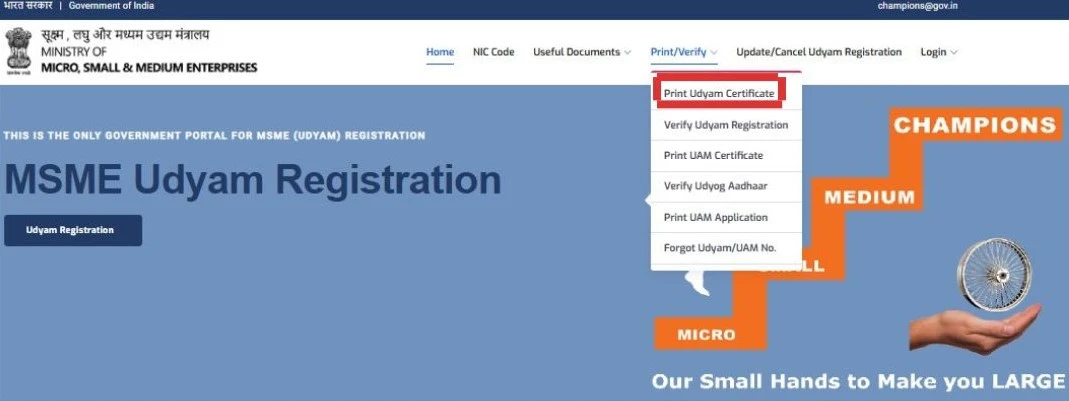
Steps for Downloading Udyam Certificate with Annexure
Frequently Asked Questions
If the website is not working properly or not opening please visit the website after some time.
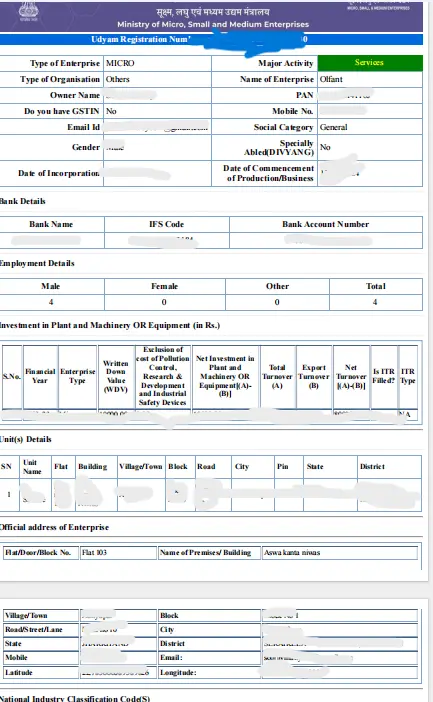
Udyam annexure in additional details like turnover, investment, address, employment and much more in Udyam certificate.
Conclusion
The Udyam Annexure Certificate is a useful document for the owners of MSME wants to grow their business and apply for bank loans. In this article, you have learned how you can download your Udyam certificate with annexure in PDF format using a step-by-step process on the official government Udyam portal.
Are you confused about how to download the Udyam Annexure Certificate online? Udyam Indian provides easy online consultancy for business owners who need assistance with downloading their Udyam Annexure Certificate. With expert guidance and a simple process, we help you complete it smoothly and quickly.
Frequently Asked Questions(FAQs)
Written by Sima
Business & MSME Content Writer
Sima is a business content writer specialising in Indian business compliance. She creates clear, practical content that helps business owners understand registration processes, government schemes, and related requirements. Her articles are based on reliable sources and are written with a focus on accuracy, clarity and real user needs.
Useful Links:
Table of Contents
Sample Udyam Annexure Certificate:
Related Blog:
Conclusion
The Udyam Annexure Certificate is a useful document for the owners of MSME wants to grow their business and apply for bank loans. In this article, you have learned how you can download your Udyam certificate with annexure in PDF format using a step-by-step process on the official government Udyam portal.
Are you confused about how to download the Udyam Annexure Certificate online? Udyam Indian provides easy online consultancy for business owners who need assistance with downloading their Udyam Annexure Certificate. With expert guidance and a simple process, we help you complete it smoothly and quickly.
Frequently Asked Questions(FAQs)
Written by Sima
Business & MSME Content Writer
Sima is a business content writer specialising in Indian business compliance. She creates clear, practical content that helps business owners understand registration processes, government schemes, and related requirements. Her articles are based on reliable sources and are written with a focus on accuracy, clarity and real user needs.
Sample Udyam Annexure Certificate: