How to Cancel Udyam Registration Certificate Online in 2026
If you are a business owner in India and have already registered your business on the Udyam registration portal to get the benefits of MSME. But the company may shut down, incorrect details may have been provided during registration, or the company no longer qualifies as an MSME under the eligibility criteria; in this situation, a company owner may want to cancel the Udyam certificate.
Sometimes, closing a business is very crucial for your MSME business due to legal matters. So, here you will learn how you can cancel your Udyam registration certificate from the official Udyam / MSME portal in very simple steps. Keep in mind to follow the instructions below very carefully so you don’t have any problems.
Steps to Cancel Udyam Registration
To cancel the Udyam registration certificate, follow the steps below:
First, visit the official “Udyam Registration Portal” or go to the udyamregistration.gov.in website.
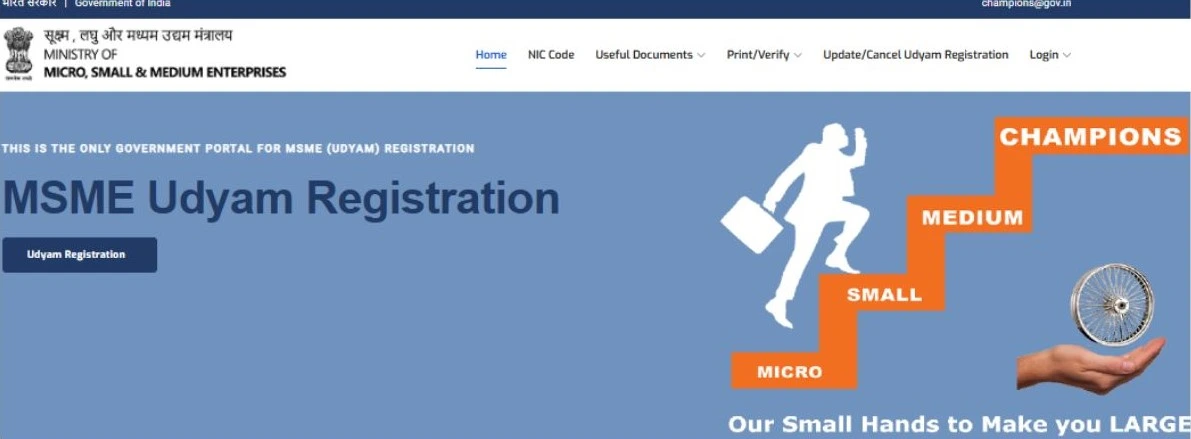
Click on the "Update/Cancle Udyam Registration" option to delete your Udyam registration certificate.
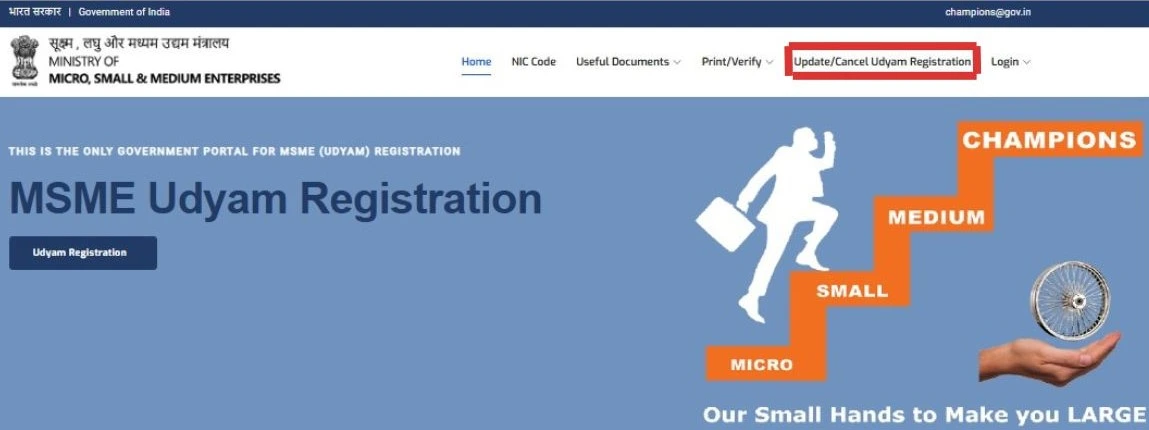
To cancel Udyam, you need to log in to the Udyam portal for the business owner's confirmation. After clicking the Update/Cancle Udyam Registration, the log in page opens automatically. Then fill in your Udyam registration number and mobile number. Next, choose the “OTP option” where you want to receive the OTP (registered mobile number or email ID). After entering the log in details, click the "Validate & Generate OTP” button
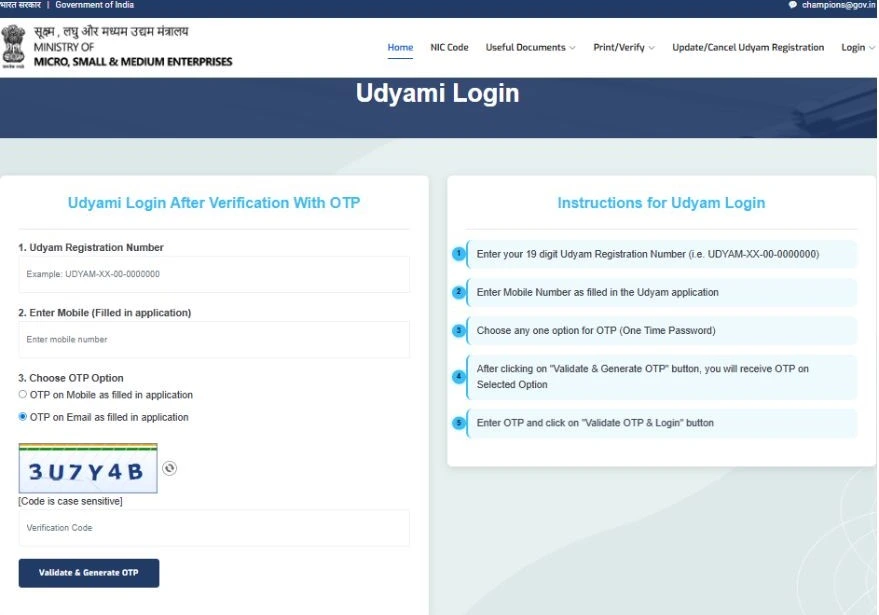
Finally, receive your OTP; check your mobile SMS section or also check your email ID inbox and spam folder. Enter the correct OTP to validate your log in, click the “Validate OTP & log in”, and after the OTP is successfully submitted, you are redirected to the Cancel Udyam page.
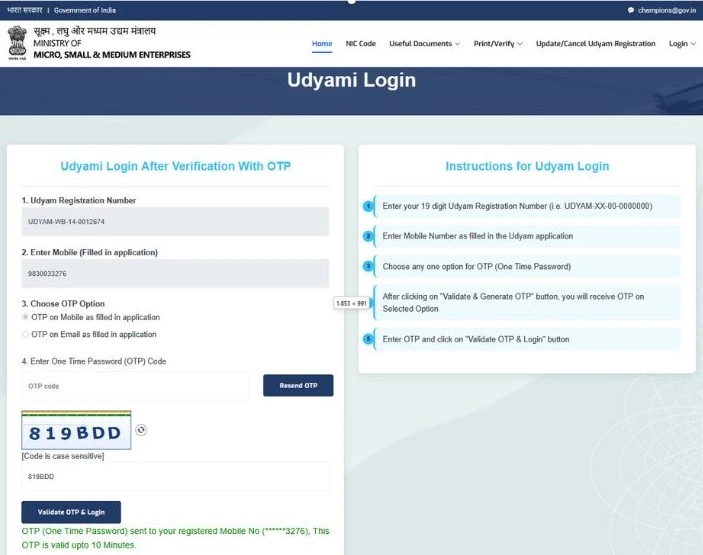
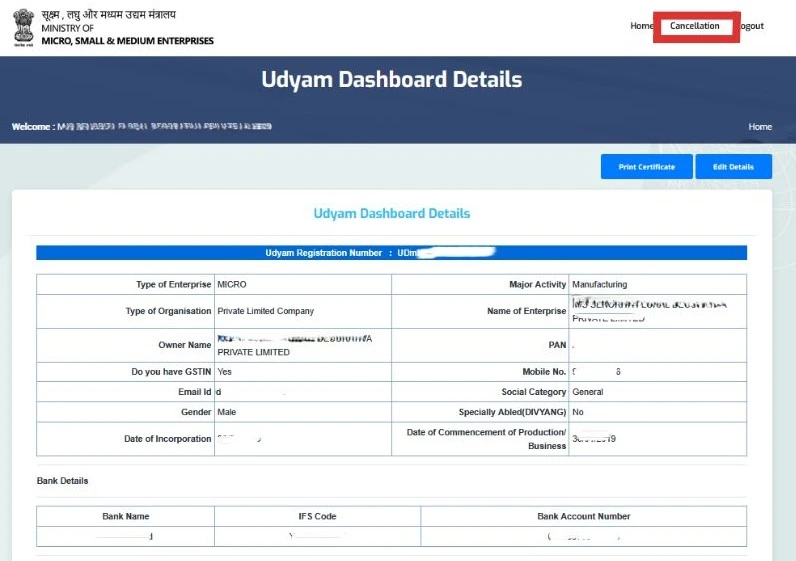
After logging in successfully, a new screen will appear. The cancellation option is available on this page at the top middle part; click on the “Cancellation” option.
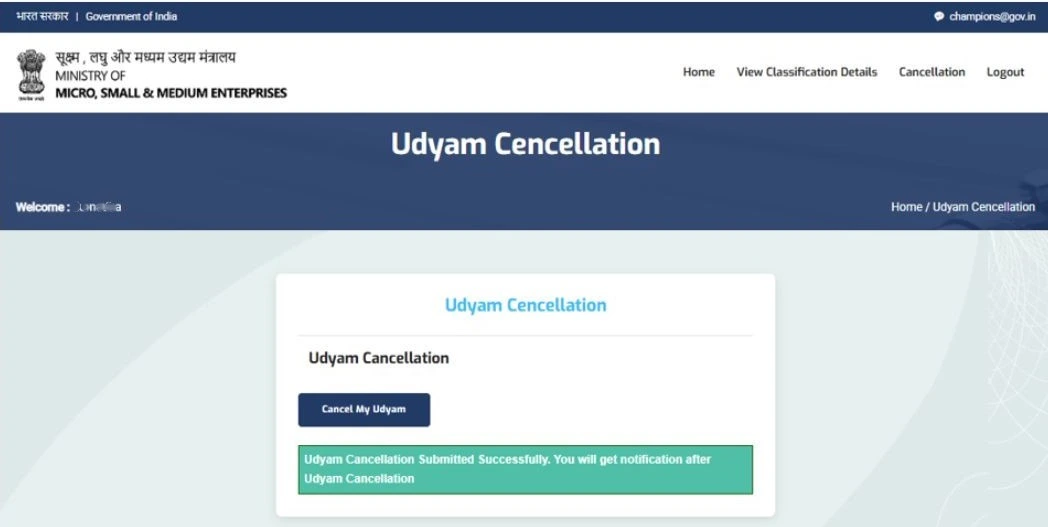
Then choose the drop-down box “Type of Cancellation”. In this field, choose the correct reason for your business cancellation, for example, "No Further Need", "Shut Down My Business", or any other reason. In the second field, enter “Reason for Cancellation”. Next, press the “Cancel my Udyam" button.
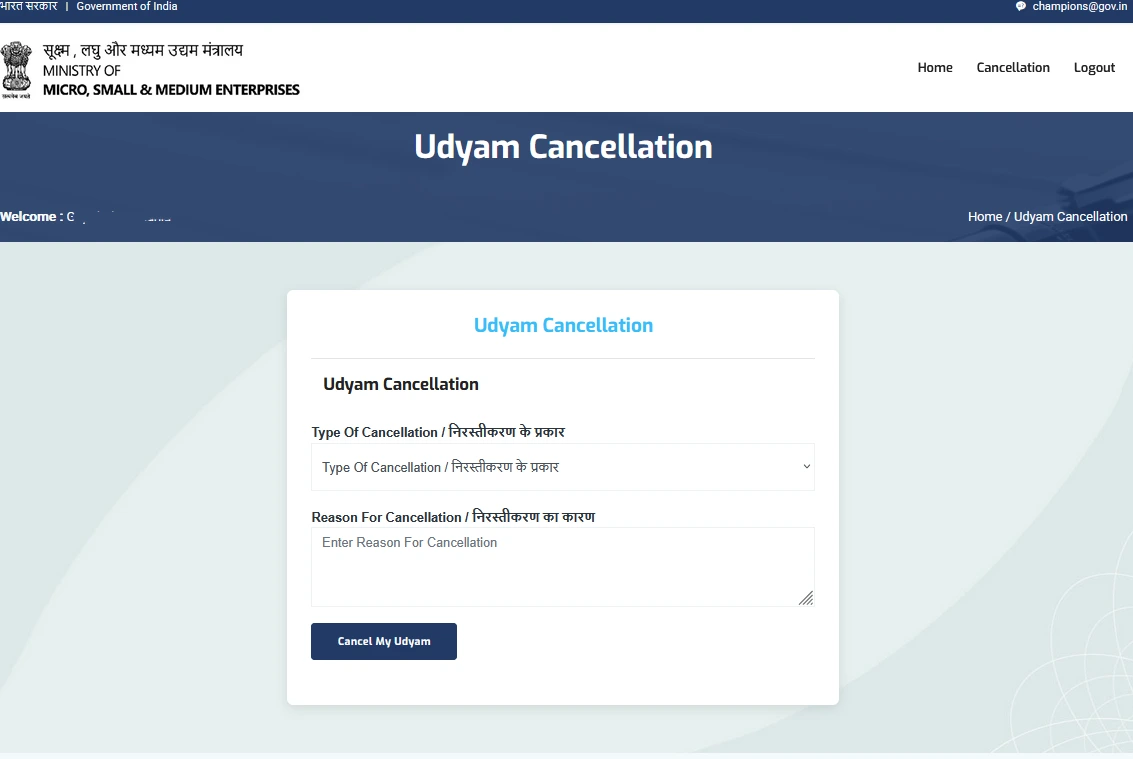
At last, just click on the “Cancel My Udyam” button, and then your Udyam registration will be cancelled. Get a confirmation email to your registered email ID after your MSME Certificate has been cancelled.
Why Do You Want to Cancel Your Udyam Certificate?
There are many reasons why a business owner may want to cancel the Udyam Registration Certificate. Common reasons:
1. Business Closure:
The business has permanently closed, or the business owner has started a new business.
2. Wrong Registration Information:
During registration on the Udyam portal, the wrong information was provided, such as incorrect PAN and Aadhaar details or business type.
3. Business Structure Changes:
When your business structure changes, like from a sole proprietorship firm to a partnership firm, in this case, a new registration is required; cancel your old registration.
4. No Longer MSME Applicable:
When your business expands and crosses the MSME limits, investment and turnover-wise.
Having a Problem While Cancelling Udyam Registration
If the website is not working or is not opening, then try cancelling your Udyam Certificate after some time.
Basically, after your request has been approved, it will take 15 days, but in some cases, it can take 30 days depending on your verification and validation.
Conclusion
A Udyam Registration Certificate plays an important role in helping businesses get government benefits and financial support. If your business has permanently closed, cancelling the Udyam registration certificate is the right choice. In this article, you have learned the process and steps to cancel your Udyam registration using the official online method.
If your business is still active, it is better to update your details rather than cancel. To read more about "how to update Udyam certificate details" you can read this blog: Update Udyam Certificate Details Online
Do you want to cancel your Udyam Certificate but don't know where to start? Udyam Indian offers online consultancy for the Udyam cancellation process. Get proper guidance on the required steps and complete the process smoothly without unnecessary confusion.
Frequently Asked Questions(FAQs)
Written by Sima
Business & MSME Content Writer
Sima is a business content writer specialising in Indian business compliance. She creates clear, practical content that helps business owners understand registration processes, government schemes, and related requirements. Her articles are based on reliable sources and are written with a focus on accuracy, clarity and real user needs.
Useful Links
Table of Contents
Related Blog:
If the website is not working or is not opening, then try cancelling your Udyam Certificate after some time.
Conclusion
A Udyam Registration Certificate plays an important role in helping businesses get government benefits and financial support. If your business has permanently closed, cancelling the Udyam registration certificate is the right choice. In this article, you have learned the process and steps to cancel your Udyam registration using the official online method. If your business is still active, it is better to update your details rather than cancel. To read more about "how to update Udyam certificate details" you can read this blog: Update Udyam Certificate Details Online
Do you want to cancel your Udyam Certificate but don't know where to start? Udyam Indian offers online consultancy for the Udyam cancellation process. Get proper guidance on the required steps and complete the process smoothly without unnecessary confusion.
Frequently Asked Questions(FAQs)
Written by Sima
Business & MSME Content Writer
Sima is a business content writer specialising in Indian business compliance. She creates clear, practical content that helps business owners understand registration processes, government schemes, and related requirements. Her articles are based on reliable sources and are written with a focus on accuracy, clarity and real user needs.